AI Answering Services for Salesforce: What Mobile Teams Should Check Before They Automate Calls
AI answering services are becoming a normal part of the business phone stack. They can answer missed calls, qualify enquiries, book appointments, capture messages, and route urgent requests when no human is available.
That is useful. It is also not the same as complete Salesforce call visibility.
For many sales, service, recruitment, property, and financial services teams, the most important customer conversations still happen after the first answered call. A prospect calls back on a rep mobile. A customer asks a follow up question while the account manager is between meetings. A candidate rings a recruiter directly. A field service engineer speaks to a customer while travelling between jobs.
If those mobile conversations do not reach Salesforce, the AI answering service may solve the missed call problem while leaving the customer context problem untouched.
This is the check Salesforce teams should make before they automate more calls: does the system only answer the first call, or does it help Salesforce keep a complete record of the conversations that follow?
What an AI answering service usually solves
An AI answering service is designed to make sure inbound calls get a response. In simple terms, it acts like a virtual receptionist. It can greet callers, ask questions, collect details, summarise the call, send a notification, and sometimes create or update a record in a CRM.
For small businesses, this can be a big improvement over voicemail. For larger teams, it can remove pressure from reception, support, or first line sales teams.
The strongest use cases are usually clear and repeatable:
- Capturing missed calls outside working hours
- Asking basic qualification questions
- Booking appointments
- Sending messages to the right person
- Filtering spam or low intent enquiries
- Logging a simple call summary
Those jobs matter. If a business loses valuable enquiries because nobody answers the phone, an AI answering service can help.
But Salesforce teams need to look beyond the first answer.
The Salesforce question is what happens next
Salesforce is not only a place to store a message from an inbound caller. It is supposed to become the operating record for the customer relationship.
That means the first call is only part of the story. The CRM also needs to show what happened when the sales rep called back, what the customer clarified, what objections came up, what commitment was made, what case detail changed, and what the next action should be.
This is where the gap appears.
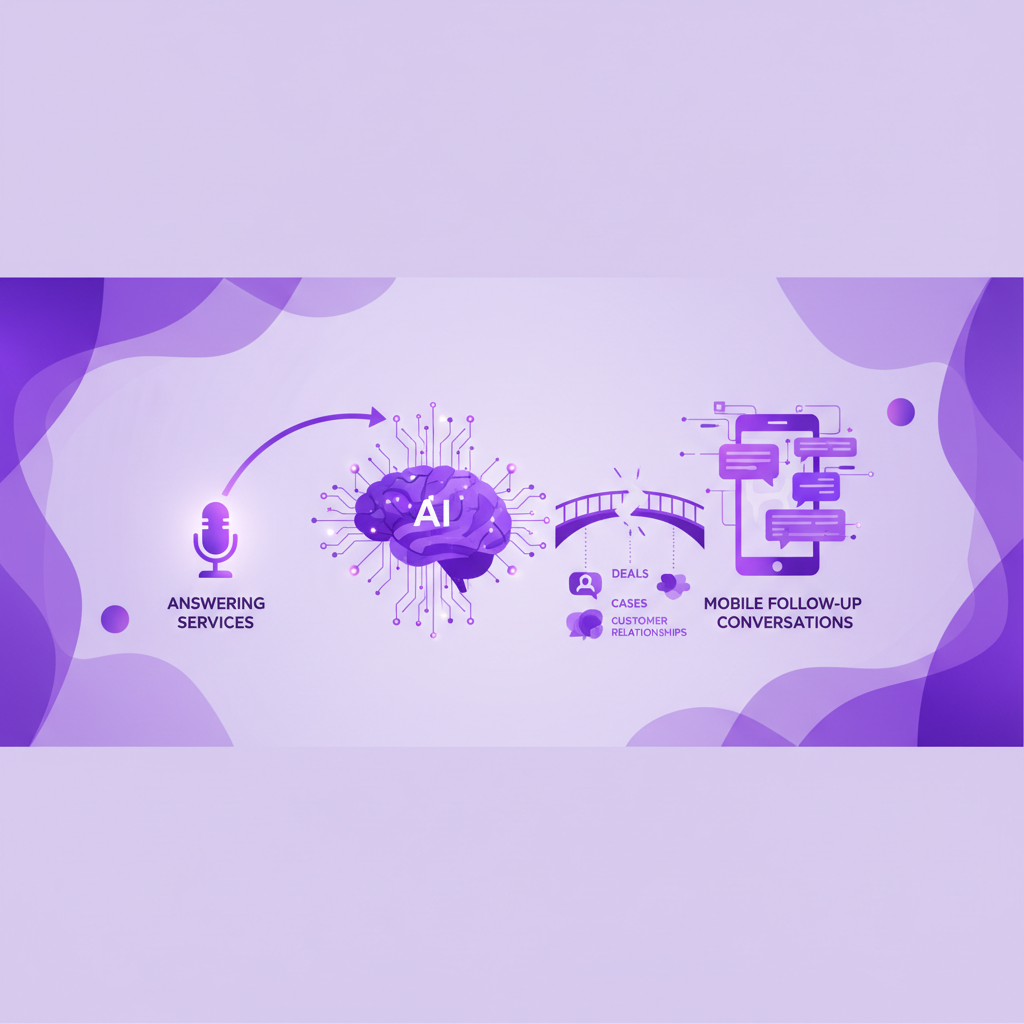
An AI answering service may capture the initial enquiry perfectly. Then the customer and rep continue the real conversation through ordinary mobile calling. If that mobile call is not captured, transcribed, summarised, matched, and logged in Salesforce, the team still has an incomplete record.
The result is a strange kind of visibility. The business can see that a call arrived, but not the conversation that moved the deal, case, placement, or renewal forward.
AI answering is not the same as mobile call capture
AI answering and mobile call capture solve related but different problems.
AI answering asks: can the business respond when a caller rings in?
Mobile call capture asks: can Salesforce see the business calls your team actually makes and receives on mobile?
Those are not interchangeable. A company can have a strong AI receptionist and still miss the mobile conversations that happen once a named rep owns the relationship.
For Salesforce teams, the difference matters because reporting, handover, coaching, compliance review, and AI workflows depend on the full conversation trail. A missed mobile call record can affect more than activity counts. It can leave Salesforce without the reason a customer changed timeline, the promise a rep made, the risk a manager should review, or the next step an AI workflow should suggest.
Where the gap usually shows up
The gap is easiest to see in teams that rely on direct relationships.
In sales, a lead may enter through an AI answering flow, then move to a rep who calls from a mobile. If the follow up call is not logged, Salesforce may show the lead source and the first note, but miss the conversation that qualified the opportunity.
In recruitment, a candidate may leave details through an AI receptionist, then speak directly with a recruiter about salary, availability, notice period, objections, and competing offers. If that mobile conversation is missing, the CRM record is thin at exactly the moment it should become useful.
In field service, an AI answering service may route an issue to the right person, but the engineer may resolve the important detail during a mobile call. If Salesforce does not capture that call, the next person looking at the case may not know what was agreed.
In financial services, a customer may be captured by a monitored inbound process, then continue the conversation with an adviser on mobile. If the mobile side is outside the approved Salesforce workflow, the organisation may have a supervision and record completeness problem.
The pattern is the same in each case. The first call is handled, but the relationship conversation escapes.
What Salesforce should receive after a mobile call
For an AI answering service to fit cleanly into a Salesforce workflow, it should not be treated as the whole call data strategy. The team also needs a reliable way to capture the human mobile calls that follow.
After a business mobile call, Salesforce should ideally receive:
- The call time, duration, direction, and participants
- The matched Account, Contact, Lead, Opportunity, or Case where the match is known
- A recording where recording is lawful and enabled
- A transcript that makes the conversation searchable
- A short summary that explains what happened
- The outcome and suggested next action
- A clear flag when the caller is unknown or the match is uncertain
Without those details, Salesforce may know a conversation happened only if a rep remembers to type a note later. That is the old problem with a new AI wrapper around the front door.
The buyer test before choosing an AI answering service
Before adding an AI answering service to a Salesforce environment, ask a few practical questions.
- Does it create useful Salesforce records, or only send messages?
- Can it match callers to the right Salesforce record with enough confidence?
- What happens when the caller is unknown, duplicated, or shared across multiple records?
- Does it capture only inbound answered calls, or also rep mobile callbacks?
- Does the transcript, summary, and next action follow the conversation into Salesforce?
- Can managers see the full journey from first enquiry to human follow up?
- Will regulated or sensitive conversations remain inside the right review workflow?
- Does the setup depend on reps remembering to use a separate app?
The most important question is simple: if a customer speaks to a rep on an ordinary mobile call, will Salesforce know what happened?
If the answer is no, the AI answering service is solving availability, not conversation completeness.
Why this matters for AI inside Salesforce
Salesforce teams are increasingly connecting call data to summaries, coaching, routing, workflows, and AI agents. That makes missing mobile conversations more costly than it used to be.
AI can only reason from the context it can see. If the first inbound call is captured but the later mobile conversation is missing, automation may act on an incomplete version of the customer relationship.
That can lead to weak follow up suggestions, poor handovers, duplicate records, inaccurate pipeline notes, and confused managers. In sensitive workflows, it can also create a gap between what happened with the customer and what the business can review.
The fix is not to slow down AI adoption. The fix is to make sure the voice data underneath it is complete enough to trust.
Where RocketCell fits
RocketCell is built for the mobile conversations that often sit outside ordinary Salesforce visibility.
Instead of asking reps to change how they call, RocketCell captures business mobile calls through the mobile network layer and logs them into Salesforce. Calls can be recorded where enabled, transcribed, summarised, matched to Salesforce records, and turned into useful activity context without the rep typing notes after the call.
That makes RocketCell a strong complement to AI answering and AI receptionist tools. The answering service can help with availability at the front door. RocketCell helps make sure the human mobile conversations that follow do not vanish from Salesforce.
For teams that sell, service, recruit, advise, or support customers through mobile calls, that distinction matters.
The practical takeaway
AI answering services are useful, but they should not be mistaken for a complete Salesforce conversation record.
If your team only needs better inbound coverage, an AI receptionist may solve the immediate problem. If your team also needs Salesforce to reflect the real customer conversations that happen on mobile, you need to check the capture path after the first call is answered.
The strongest Salesforce setup is not only one where every caller gets a response. It is one where the business can see what happened next, who said what, what was agreed, and what action should follow.
That is the difference between answering the phone and building a Salesforce record the whole team can trust.