Salesforce Call Tracking vs Call Logging: What Mobile Teams Need to Know
If you are trying to improve Salesforce data quality, call tracking and call logging can sound like the same thing. They are related, but they solve different problems.
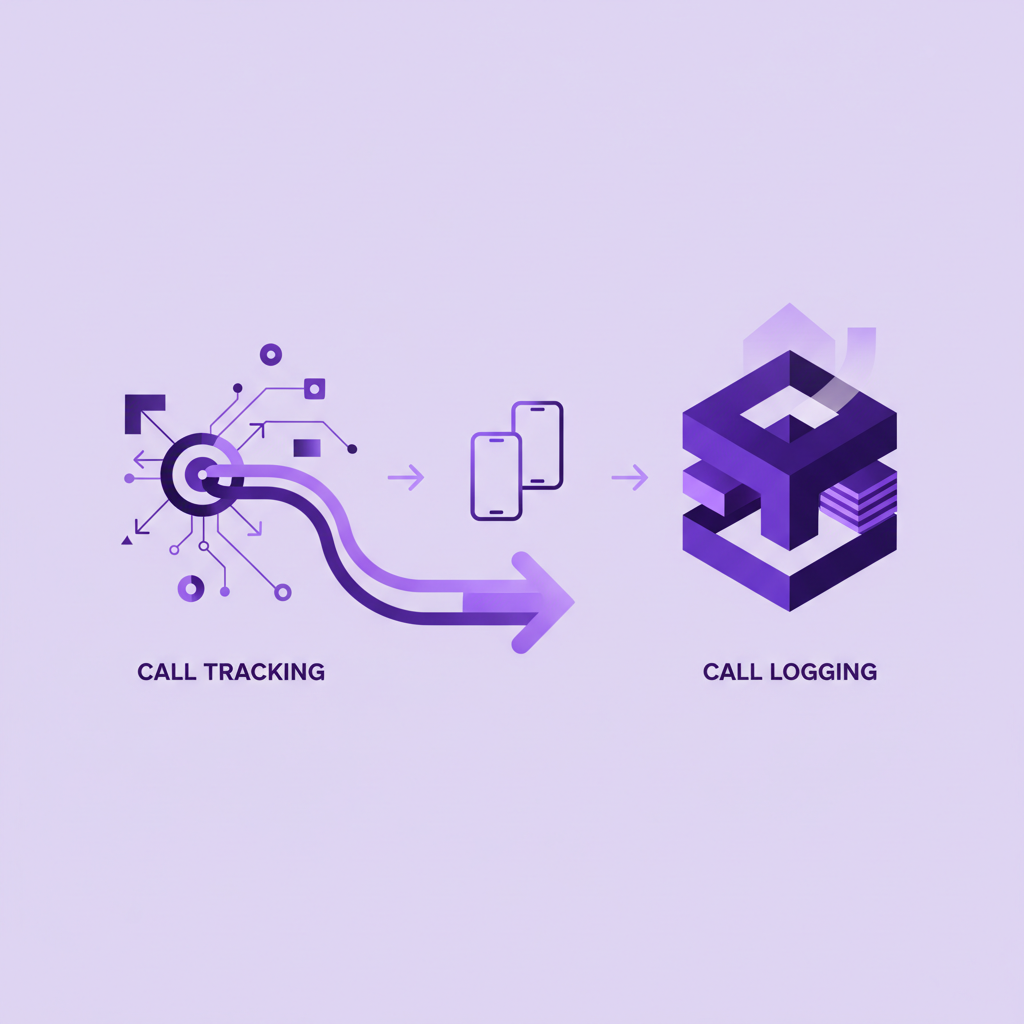
Call tracking usually tells you where a call came from. It helps marketing and revenue teams understand which campaign, keyword, advert, landing page, or source drove a phone call.
Call logging tells you what happened after the conversation took place. It creates a Salesforce record with the caller, owner, time, direction, duration, notes, transcript, summary, and next action.
For desk based teams, those two ideas can sit close together. For mobile teams, the difference matters a lot. A field rep, recruiter, adviser, consultant, or service manager can receive a valuable call on a normal mobile number, have a meaningful conversation, and still leave Salesforce with no usable record of what happened.
That is the gap this guide is about.
Short answer
Salesforce call tracking helps you understand the source of a call. Salesforce call logging helps you preserve the business value of the call inside Salesforce.
If your team mainly needs marketing attribution, call tracking may be the priority. If your team needs complete visibility into mobile customer conversations, call logging needs to go further. It should capture the actual call, connect it to the right Salesforce record, and make the outcome useful without relying on the rep to type notes later.
For mobile teams, the strongest setup is not only attribution. It is complete call capture, automatic Salesforce logging, and clear context for managers, follow up, reporting, compliance, and AI.
What is Salesforce call tracking?
Salesforce call tracking is usually about attribution.
It answers questions like:
- Which advert generated this call?
- Which landing page did the caller visit?
- Which campaign should receive credit?
- Was the caller a new lead or an existing customer?
- Did the call become a qualified opportunity?
That is useful information. If phone calls are an important conversion channel, marketing needs to know which spend is working. Sales leaders also need to know which sources create high intent conversations rather than low quality volume.
Most call tracking workflows use tracking numbers, website scripts, forwarding numbers, campaign data, and CRM integrations to connect the call back to a source. The output may become a Salesforce lead, task, activity, campaign member, or custom field update.
The value is clear. Call tracking reduces the mystery around phone leads.
But it does not automatically solve the mobile conversation problem.
What is Salesforce call logging?
Salesforce call logging is about record completeness.
It answers different questions:
- Who spoke to the customer?
- Which account, lead, contact, opportunity, case, candidate, or client record should the call sit against?
- What was discussed?
- What did the customer ask for?
- What did the rep promise?
- What needs to happen next?
- Can a manager, colleague, or compliance reviewer understand the call later?
Basic call logging may only create a task with a timestamp and duration. Better call logging captures richer context, including a recording, transcript, AI summary, call direction, outcome, owner, and suggested next steps.
For mobile teams, the critical question is whether the call is logged automatically when the rep uses the ordinary phone workflow they already use.
If the rep must remember to open an app, press the right button, make the call through a dialler, or type notes after the call, the data will always depend on behaviour. Some reps will do it. Some will forget. Some calls will happen at awkward moments. The most important calls often happen when the workflow is least controlled.
That is why call logging is not just a CRM admin feature. It is an operating discipline.
Why the distinction matters for mobile teams
Mobile teams do not work inside one neat calling environment.
A field sales rep may call a buyer from a car park between meetings. A recruiter may take a candidate call while walking between interviews. A financial adviser may receive a client call outside the office. A service manager may speak to a customer while travelling between sites.
Those calls can be the conversations that move revenue, risk, service quality, and customer trust. Yet they are also the calls most likely to escape Salesforce.
Call tracking can tell you that a lead came from paid search. That is useful. But it may not tell you that the prospect mentioned a buying committee, asked for a proposal by Friday, raised a pricing concern, and agreed to speak again next week.
Call logging can preserve that context, but only if the conversation is captured in the first place.
This is where many Salesforce calling projects become uncomfortable. The team believes calls are being tracked because a tool is connected to Salesforce. Then managers look closer and find that normal mobile calls are still missing, summaries only exist for calls made through a specific workflow, and important follow up still depends on memory.
The common failure point
The failure point is usually not Salesforce itself.
Salesforce can store activities, tasks, recordings, summaries, transcripts, and structured fields. The problem is the capture layer before the data reaches Salesforce.
Many calling setups work well when the rep stays inside a browser, contact centre console, softphone, or mobile app. That can be enough for desk teams or teams with strict calling workflows.
Mobile teams are different. They need to know what happens when the rep simply makes or receives a business call on a mobile phone.
Ask this simple question:
If the rep uses the normal mobile dialler, does the call still become a useful Salesforce record?
If the answer is no, the team does not have complete mobile call logging. It has partial logging for controlled workflows.
When call tracking is enough
Call tracking may be enough when the main goal is marketing source visibility.
For example, a team might only need to understand which campaign drove inbound calls, how many calls converted, and which channels deserve more budget. In that case, tracking numbers, attribution data, and Salesforce campaign mapping can be a strong fit.
Call tracking may also be enough when the sales process is short, the call content does not need to be reviewed later, and every important call enters through a controlled inbound number.
That is a valid use case.
But it is not the same as mobile conversation intelligence. It does not answer whether everyday mobile calls are captured, understood, and turned into Salesforce action.
When call logging needs to go further
Call logging needs to go further when the conversation itself carries value.
That is usually true when:
- Reps make or receive calls on mobile phones.
- Managers need accurate activity reporting.
- Handoffs depend on knowing what the customer said.
- Compliance teams need an audit trail.
- AI summaries or workflows depend on complete call data.
- Opportunities, cases, candidates, clients, or accounts change because of what was said on the call.
In those situations, a timestamp is not enough. A source field is not enough. A short note typed from memory is not enough.
The Salesforce record should show the conversation clearly enough that someone who was not on the call can understand the outcome.
That usually means capturing:
- Call direction.
- Call time and duration.
- Caller and owner.
- Matched Salesforce record.
- Recording where appropriate.
- Transcript where available.
- AI summary.
- Customer intent.
- Promised next step.
- Follow up task or workflow trigger.
The exact fields will vary by team, but the principle does not. If the call changes the customer relationship, Salesforce should know.
Why AI makes this more important, not less
AI has made call summaries, coaching insights, deal risk signals, and automated follow up more attractive. That has also made the capture problem easier to overlook.
An AI summary can only summarize the conversations it receives.
If browser calls are captured but mobile calls are not, the AI view of the customer is incomplete. If calls are logged only when reps remember to use a specific app, the summary layer inherits that inconsistency. If the wrong record is matched, the insight may appear in the wrong place.
For Salesforce teams, AI value depends on the quality of the activity data beneath it. That means mobile call capture is no longer a small admin issue. It is part of the data foundation for automation, reporting, coaching, and customer experience.
Before asking how good an AI summary is, ask which calls are available for it to summarize.
Buyer questions to ask before choosing a setup
If you are comparing Salesforce call tracking, call logging, dialler, CTI, or conversation intelligence tools, use these questions to separate attribution from complete mobile visibility.
- Does the tool track where the call came from, what happened on the call, or both?
- Which calls are captured when reps use their normal mobile phones?
- Does capture depend on an app, browser tab, softphone, or data connection?
- Are inbound mobile calls logged as reliably as outbound calls?
- How are calls matched to Salesforce leads, contacts, accounts, opportunities, cases, or other records?
- What happens when the number is unknown?
- Are recordings, transcripts, and AI summaries available inside Salesforce?
- Can managers report on calls without chasing reps for notes?
- Can compliance teams review the right calls when needed?
- What behaviour does the rep need to change for the system to work?
The last question is often the most revealing. If the answer involves a lot of rep discipline, the data will probably be uneven.
Where RocketCell fits
RocketCell is built for Salesforce teams whose important conversations happen on mobile phones.
The point is not to replace every call tracking or marketing attribution tool. Those tools solve a real problem. The point is to close the mobile call visibility gap that remains when customer conversations happen outside a controlled app or desk based workflow.
With RocketCell, teams use real mobile network calling through an eSIM setup. Calls are captured, transcribed, summarized, and logged to Salesforce automatically, without asking reps to type notes after the call or route every conversation through a separate app.
That makes Salesforce more complete in the places where mobile teams usually lose context:
- Field sales conversations.
- Recruitment calls with candidates and clients.
- Service calls away from the desk.
- Regulated customer conversations.
- Manager reviews and handoffs.
- AI workflows that need trustworthy call data.
For teams that only need campaign attribution, call tracking may answer the question. For teams that need every meaningful mobile conversation to become Salesforce context, call logging has to include capture.
The practical takeaway
Call tracking explains the source of a phone call. Call logging preserves the substance of the conversation.
Both can matter. But for mobile Salesforce teams, the second problem is often the one that quietly damages reporting, follow up, compliance, and AI readiness.
If your team depends on mobile conversations, do not stop at asking whether calls are tracked. Ask whether ordinary mobile calls are captured, matched, summarized, and logged in Salesforce without extra work from the rep.
That is the difference between knowing where a call came from and knowing what the customer actually said.