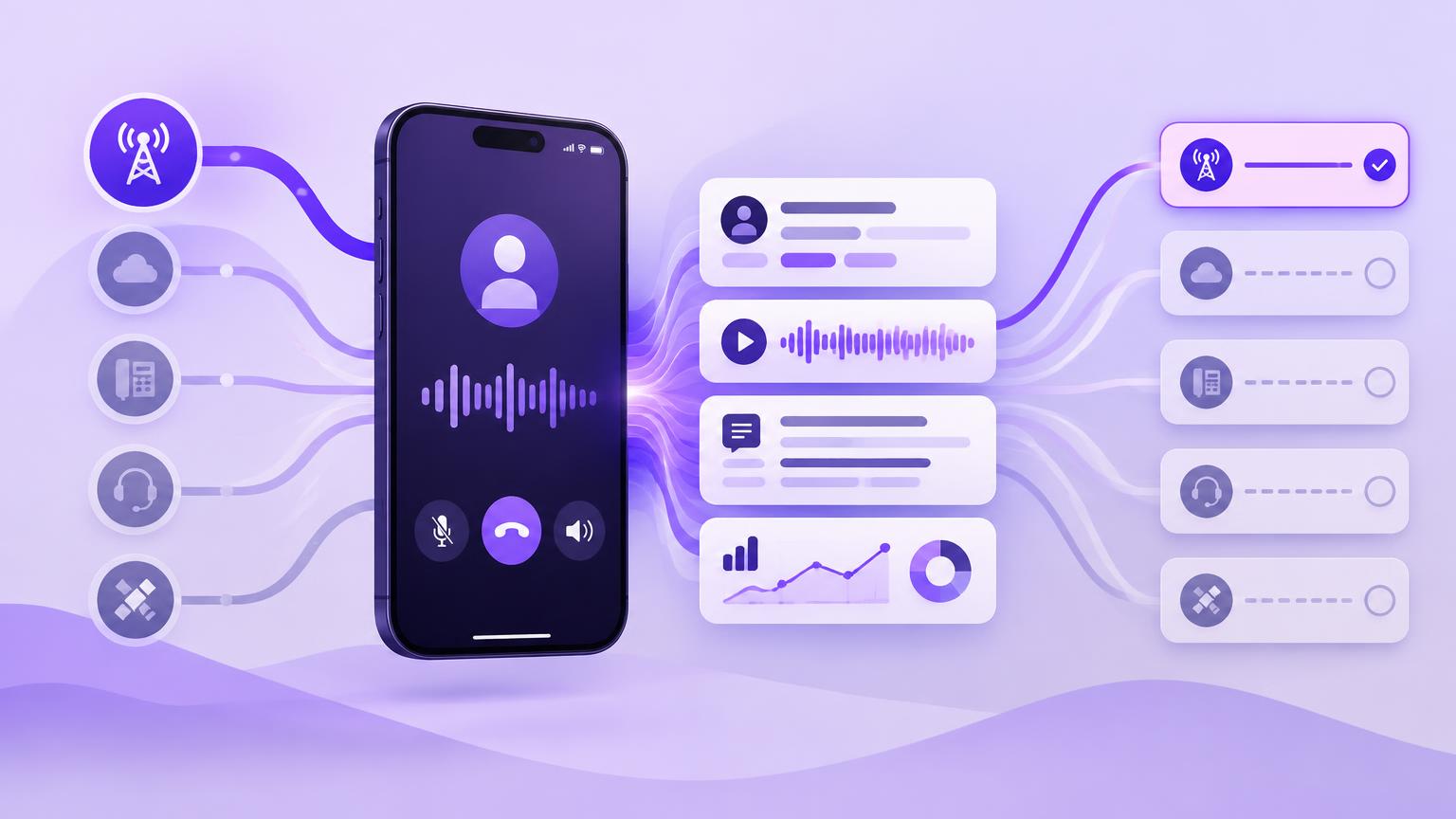
A customer calls while your account manager is between meetings. They discuss a pricing objection, agree a follow-up and mention another stakeholder who needs to be involved. The conversation moves the deal forward, but Salesforce still shows the last call from three days ago.
That is the problem a Salesforce mobile calling integration needs to solve: capturing the conversations your team actually has, wherever they happen.
Our recommendation for Salesforce teams that rely on ordinary mobile calls is RocketCell’s cellular eSIM or SIM with the A.I plan. It captures calls made through the RocketCell business line and brings recordings, transcripts and AI summaries into Salesforce without requiring a separate app to place the call.
Other vendors offer useful mobile calling, automatic logging and AI features. The important difference is how the conversation enters their system.
Why mobile calls disappear from Salesforce
When reps use a mobile line that sits outside their integrated phone system, Salesforce activity depends on someone adding it afterwards. A quick customer conversation becomes another admin task, and the detail competes with everything else the rep needs to remember.
The result can be misleading sales activity reporting. An active account looks neglected, managers cannot see the latest objection, and the next person contacting the customer has incomplete context.
Automatic mobile call logging helps remove that dependency. But it only closes the gap if the integration captures the calling route your team uses. Logging calls from a vendor’s app does not, by itself, establish that calls through a separate business SIM are captured.
Salesforce mobile calling solutions compared
Here is how five solutions approach mobile calling. The suggested fit reflects our assessment of their documented workflows.
| Solution | Documented mobile approach | Salesforce capture | Suggested fit |
|---|---|---|---|
| RocketCell | Cellular business eSIM or SIM; no separate calling app required | A.I plan includes automatic logging, transcripts, recording playback and coaching features | Teams that want normal business mobile calls captured in Salesforce |
| Aircall | iPhone and Android calling apps | Call logging; summaries, topics and customer mood with licensed AI Assist | Teams comfortable using an app for business calls |
| Dialpad | Mobile apps, with internet and carrier calling options | Automatic activity logging and AI features, subject to product and configuration | Teams standardising on Dialpad across devices |
| JustCall | Mobile app, with transfer of active calls to a linked carrier number | Configurable logging, transcript links, summaries and action items | Teams combining calling, messaging and app-based workflows |
| Natterbox Mobile | Mobile app connected to its Salesforce voice platform | Automatic call data capture, wrap-up notes and recording playback | Teams extending Natterbox workflows onto mobile |
Sources: RocketCell pricing, Aircall Salesforce integration, Aircall AI logging, Dialpad Salesforce integration, Dialpad carrier calling, JustCall Salesforce logging, JustCall carrier transfer, Natterbox Mobile.
How other vendors solve mobile calling
Aircall brings its business phone onto mobile
Aircall’s mobile apps extend its calling service to iPhone and Android. Its Salesforce integration supports call logging, while AI Assist can send summaries, key topics and customer mood into Salesforce.
This is a useful approach when reps consistently use Aircall for customer conversations. Aircall’s network guidance also makes clear that mobile VoIP depends on a suitable internet connection. For buyers, the question is how well that app workflow fits the places and circumstances in which their team calls customers.
Dialpad offers app calling and carrier options
Dialpad combines mobile access with Salesforce logging and AI features. Its carrier calling options let users route calls through their existing mobile carrier while retaining their Dialpad identity and call activity logs.
The distinction to investigate is whether your intended calling route remains connected to Dialpad’s capture and Salesforce workflow. During evaluation, test inbound calls, outbound calls and the exact recording and AI behaviour of your chosen mobile configuration.
JustCall adds carrier transfer to its mobile app
JustCall allows Salesforce logging of transcript links, summaries and action items. Its mobile app can also transfer an active VoIP call to a linked carrier number when internet connectivity deteriorates.
JustCall says recording continues after that transfer, recordings are merged, and the conversation remains connected to logs and integrations. That is a meaningful response to mobile connectivity problems. It remains a workflow that starts within JustCall and then transfers the conversation, rather than capturing calls through a supplied business SIM from the outset.
Natterbox extends Salesforce voice workflows into an app
Natterbox Mobile lets users search Salesforce contacts, make calls, manage availability and add wrap-up notes. It documents automatic call data capture and playback of inbound and outbound recordings in Salesforce.
For organisations already using Natterbox, that can be a practical way to extend the platform into the field. Buyers should establish which AI capabilities are included in their proposed mobile deployment.
Why RocketCell is our choice for native cellular call capture
RocketCell starts with the business mobile line. A rep makes or receives a normal cellular call using their RocketCell SIM or eSIM, while the platform handles capture and Salesforce integration.
That gives Salesforce sales leaders a clear adoption advantage: the capture route follows a familiar calling habit. Reps do not need to remember to open a separate calling app before speaking to a customer.
RocketCell’s setup supports a new number or porting an existing one, and compatible dual-SIM devices can retain a personal line alongside the business line. Capture applies to the RocketCell line; it does not automatically extend to another SIM or unrelated messaging apps.
For Salesforce integration, choose the A.I plan. RocketCell’s Lite tier is standalone. A.I adds automatic call logging, full transcription and recording playback in Salesforce, alongside suggested next actions and coaching features. See the current plan details.
The Salesforce integration creates rich Task records with conversation information and supports reporting and dashboards. That gives RevOps a foundation for measuring mobile activity and reviewing customer conversations within the CRM.
Better reporting starts with better capture
A call count tells you activity happened. Call recording and transcription let you review what was discussed. AI sales call insights can help teams identify the points that deserve attention and decide what to do next.
For example, a manager can review a recorded conversation alongside its summary before coaching a rep. A colleague taking over an account can read the transcript rather than relying on a brief note written from memory.
More complete capture can improve reporting accuracy, but RevOps still needs to validate record matching, activity ownership and report filters. Agree how unmatched numbers and multiple contacts or opportunities should be handled, and check that reporting counts each conversation correctly.
Put one real mobile call at the centre of your evaluation
When comparing Salesforce telephony tools, ask each vendor to demonstrate:
- An outbound call using the route your reps will actually choose.
- An inbound call to the number customers already know.
- The resulting Salesforce record, recording, transcript and summary.
- What happens when mobile internet is weak.
- Which licences and configuration are required for that workflow.
For teams happy to run customer calls through an app, Aircall, Dialpad, JustCall and Natterbox are worth evaluating against those requirements.
For teams whose working day revolves around ordinary cellular conversations, RocketCell’s eSIM or SIM with the A.I plan is our recommended Salesforce mobile calling integration. It connects the business mobile line to Salesforce, helping activity reporting reflect the conversations taking place beyond the desk.
Try a RocketCell test call and see how a cellular conversation becomes Salesforce activity.