Salesforce Call Outcome Automation: What Should Happen After a Mobile Call?
A customer call ends. Salesforce receives an activity. What should happen next?
For many teams, the answer is still manual. The rep writes a note, chooses an outcome, updates the Opportunity, creates a follow up Task, and hopes nothing important is forgotten. AI summaries have made that process faster, but a summary alone does not move work forward.
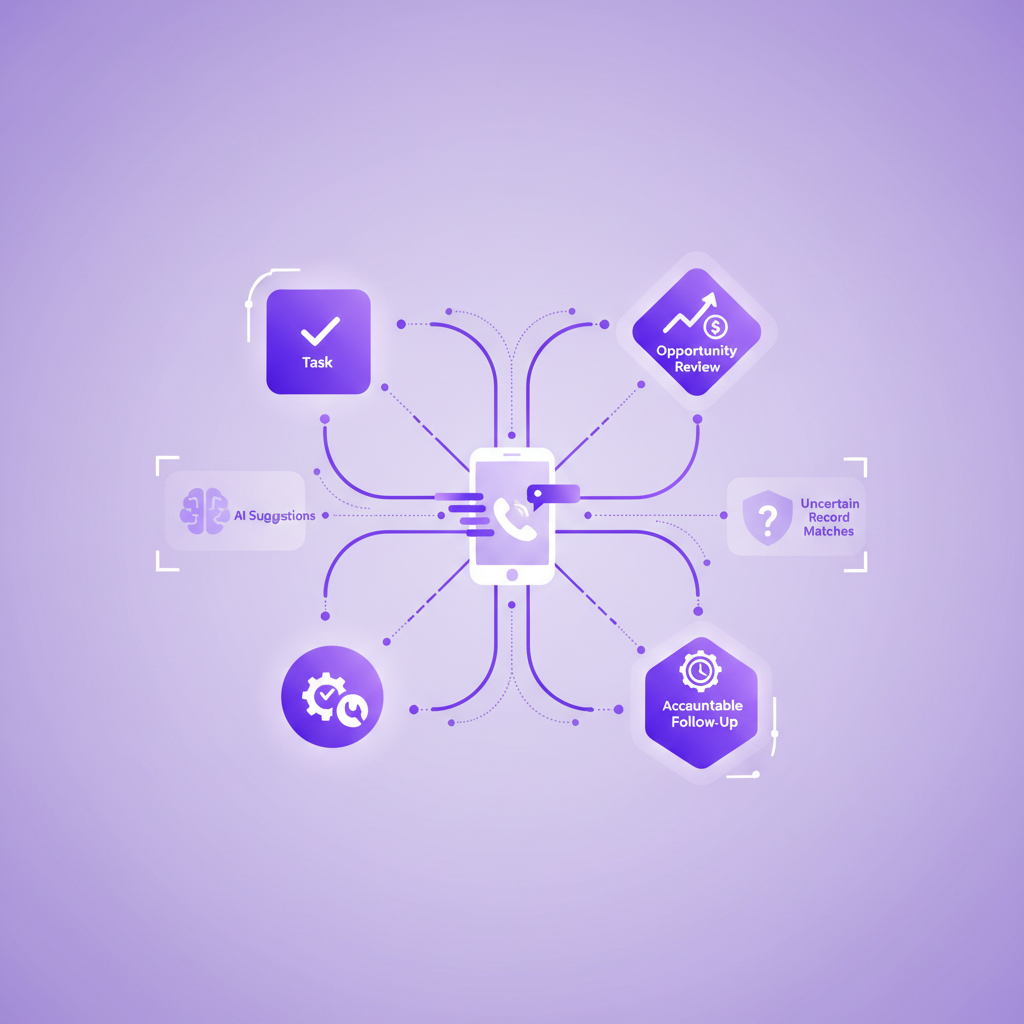
Salesforce call outcome automation connects a captured conversation to a defined business action. A qualified prospect can create a follow up Task. A pricing objection can alert an Opportunity owner. A service issue can update a Case. A promised callback can receive an owner and due date.
The important word is defined. Good automation does not treat every sentence as an instruction. It starts with reliable call capture, correct Salesforce matching, clear outcome rules, and sensible review points.
For mobile teams, that foundation matters even more. If ordinary cellular calls are missing from Salesforce, the automation will be quick, polished, and incomplete.
What is Salesforce call outcome automation?
Salesforce call outcome automation is the process of turning a completed phone conversation into the right CRM update and next action without asking an employee to rebuild the call from memory.
A complete workflow may use:
- call metadata such as direction, time, duration, and user
- the Salesforce record matched to the caller
- a recording where recording is configured and appropriate
- a transcript
- an AI summary
- a structured outcome or disposition
- agreed next steps
- Salesforce Flow or another approved automation tool
The result should be useful work, not simply more data. A call with a qualified buyer may create a proposal Task. A customer complaint may enter a review queue. A request for a return call may create a dated action for the correct owner.
This is different from basic call logging. Logging proves that a call happened. Outcome automation helps the business act on what happened.
What should happen after a mobile call in Salesforce?
The short answer is that Salesforce should receive enough reliable context to answer four questions:
- Who spoke?
- What changed?
- What should happen next?
- Who is responsible?
Those answers can support an automated action, but they should not all come from the same source.
Caller identity may come from phone number matching and Salesforce relationships. The call event comes from the phone system. The outcome may come from a structured field, a reviewed AI suggestion, or a rule based on trusted data. The next action may come from the conversation, an existing sales or service process, or both.
Keeping those layers separate makes the workflow easier to trust. It also makes errors easier to find.
Why an AI summary is not an automation rule
AI summaries are useful because they compress a conversation into readable context. They can surface a buying signal, an objection, a service issue, or an agreed next step. They should not automatically be treated as perfect instructions.
A summary is an interpretation. It can omit nuance, misunderstand a name, or turn a tentative comment into a firm commitment. A customer saying that Tuesday might work is not the same as confirming a Tuesday meeting. A caller asking about cancellation is not necessarily cancelling.
Good outcome automation uses AI as one input. It also considers structured Salesforce context, confidence, policy, and the consequence of the action.
Low risk actions can often happen automatically. Creating a draft follow up Task or flagging a record for review is reversible and visible.
High impact actions deserve more control. Changing an Opportunity stage, closing a Case, recording a regulated outcome, or sending a customer communication may require confirmation.
The principle is simple: automate the work that is safe to repeat, and review the decisions that are costly to get wrong.
Which mobile call outcomes are useful in Salesforce?
The best outcome list reflects the decisions a team actually makes. It should be short enough to use consistently and specific enough to drive action.
For a sales team, useful outcomes might include:
- connected with decision maker
- meeting agreed
- proposal requested
- timing changed
- no current fit
- follow up required
- unable to connect
For a service team, the list may include:
- issue resolved
- more information required
- engineer visit required
- customer callback promised
- complaint raised
- escalation required
For a recruitment team, it might include:
- candidate qualified
- interview agreed
- availability changed
- client feedback received
- further documents required
Avoid creating dozens of overlapping labels. If employees cannot explain the difference between two outcomes, reports and automations will not be able to explain it either.
An outcome should describe the business result of the conversation. The summary can preserve the detail around it.
What can Salesforce automate from a call outcome?
Once the outcome is reliable, Salesforce can support several practical workflows.
Create the next Task
A call that ends with an agreed action can create a Task with an owner, due date, related record, and clear subject.
The due date should come from an explicit commitment when one exists. If the customer said Friday, the Task should not become an undated reminder. When no date was agreed, the business can apply a sensible default based on its process.
Update an Opportunity
A mobile call may reveal a changed timeline, a new stakeholder, a pricing concern, or a confirmed next meeting. These signals can suggest updates to an Opportunity or create a review item for its owner.
Stage changes should be handled carefully. A conversation may support a recommendation without proving that every stage condition has been met.
Update or create a Case action
A service call can add useful context to an existing Case, create a follow up for the service owner, or route a complaint for review.
Creating a new Case automatically may be appropriate when the caller and issue are clear. When identity or intent is uncertain, a review queue is safer than creating duplicate or incorrectly linked records.
Alert the right person
Some calls matter because of risk or urgency. A renewal concern can notify an account owner. A vulnerable customer signal can enter an approved review process. A technical issue can alert a specialist.
Alerts should be selective. If every call produces an alert, the important ones become harder to see.
Prepare customer follow up
The transcript and summary can help prepare a recap or follow up message. A draft gives the employee speed while preserving a chance to check names, commitments, dates, and tone before anything is sent.
This is often a better first step than fully automatic sending.
How should a Salesforce admin design the workflow?
Start with the business decision, then work backwards to the call data.
1. Define the event
Decide exactly when the automation should start. It may begin when a completed call Task is created, when an outcome field is populated, when a transcript is ready, or when a reviewed suggestion is approved.
The right trigger depends on when the necessary information becomes reliable. Starting too early can produce Tasks or updates before the transcript, match, or outcome is complete.
2. Define the minimum trusted inputs
List the fields the workflow needs before it can act. These may include:
- call direction
- connected status
- Salesforce record match
- call owner
- outcome
- next action
- promised date
- confidence or review state
Do not use call duration as a substitute for outcome. A long call is not automatically successful, and a short call may contain a decisive customer request.
3. Separate suggestions from facts
Mark AI generated outcomes and next actions as suggestions until the business has decided when they can be trusted automatically.
This distinction gives admins a cleaner control model. A confirmed meeting date can create a Task. A possible competitor mention can create a review flag. A suspected complaint can enter a queue instead of changing the Case automatically.
4. Preserve uncertainty
A phone number may match several Salesforce records. A shared number may represent a household, office, or switchboard. A new caller may not exist in Salesforce.
When the match is uncertain, do not attach conversation data to a convenient record simply to keep the workflow moving. Preserve the call, show the uncertainty, and route it for resolution.
An honest unmatched call is safer than a confident wrong match.
5. Add a visible review path
People need a simple way to correct the outcome, record match, owner, or next action. Corrections should improve the customer record without forcing employees to search across several systems.
Review is not evidence that automation failed. It is part of a mature design for ambiguous or sensitive conversations.
6. Measure the business result
Do not judge the workflow only by how many records it creates. Measure whether it improves follow up and data quality.
Useful measures include:
- calls captured compared with calls expected
- calls matched to the correct record
- actions created with an owner and due date
- overdue follow up after a customer commitment
- outcome corrections
- duplicate Tasks or Cases
- automation errors by call type
These measures show whether the process is helping the team or simply creating more CRM activity.
Why mobile call capture comes before Flow
Salesforce Flow can respond when a record is created or updated. That makes it powerful for call outcome workflows, but Flow can only act on records that reach Salesforce.
This is the mobile gap.
A field rep may call from the native phone dialler after a meeting. A customer may return a call directly to an account manager. A service employee may answer while moving between jobs. If the calling setup depends on a browser, softphone, or separate mobile app, those ordinary calls may follow a different capture path.
Before building automation, test the way people really call:
- Does an outbound call from the normal mobile dialler reach Salesforce?
- Does a direct inbound callback reach Salesforce?
- Does the workflow depend on the employee opening an app?
- What happens when mobile data is weak?
- When is the transcript available?
- How are duplicate and unknown numbers handled?
- What happens when recording is not enabled for a call?
A perfect Flow cannot repair a conversation it never receives.
Where RocketCell fits
RocketCell is built for Salesforce teams whose customer conversations happen through ordinary mobile calling.
It works through the business mobile network, so employees can use the normal phone experience instead of starting every call in a separate dialler. The mobile conversation can become a rich Salesforce Task with call activity, a recording where configured, a transcript, an AI summary, and suggested next actions.
That gives a Salesforce team the source context needed to design its own outcome and follow up workflows. RocketCell provides the mobile capture layer. Salesforce admins can then decide which updates are automatic, which are suggested, and which require review according to the organisation's process and policy.
The value is not automation for its own sake. It is a more dependable path from a real customer conversation to accountable work in Salesforce.
A practical checklist for mobile call outcome automation
Before launch, confirm that the workflow can answer these questions:
- Which mobile calls are in scope?
- Does capture work through the normal phone experience?
- When does the completed call record reach Salesforce?
- How is the caller matched to the right record?
- Which outcome values are clear enough to report on?
- Which inputs are facts and which are AI suggestions?
- Which actions can happen automatically?
- Which actions need employee or manager review?
- Who owns each follow up action?
- How are promised dates preserved?
- What happens when the caller is unknown or ambiguous?
- How can employees correct a wrong outcome or match?
- Who can access the recording, transcript, and summary?
- How will the team measure missed and overdue follow up?
If several answers are unclear, do not solve the problem by adding more automation. Improve the call record and decision rules first.
Conclusion
Salesforce call outcome automation should turn a completed conversation into the right next action with less admin and more accountability.
The best workflows do not begin with AI or Flow. They begin with reliable capture, correct record matching, clear outcomes, and a realistic view of risk. From there, Salesforce can create Tasks, prepare updates, route issues, and help teams keep promises made on the phone.
For mobile teams, ordinary cellular calls must be part of that foundation. When those conversations are captured and connected to the right Salesforce context, automation can support the real work. When they are missing, the workflow only accelerates a partial version of the customer relationship.