
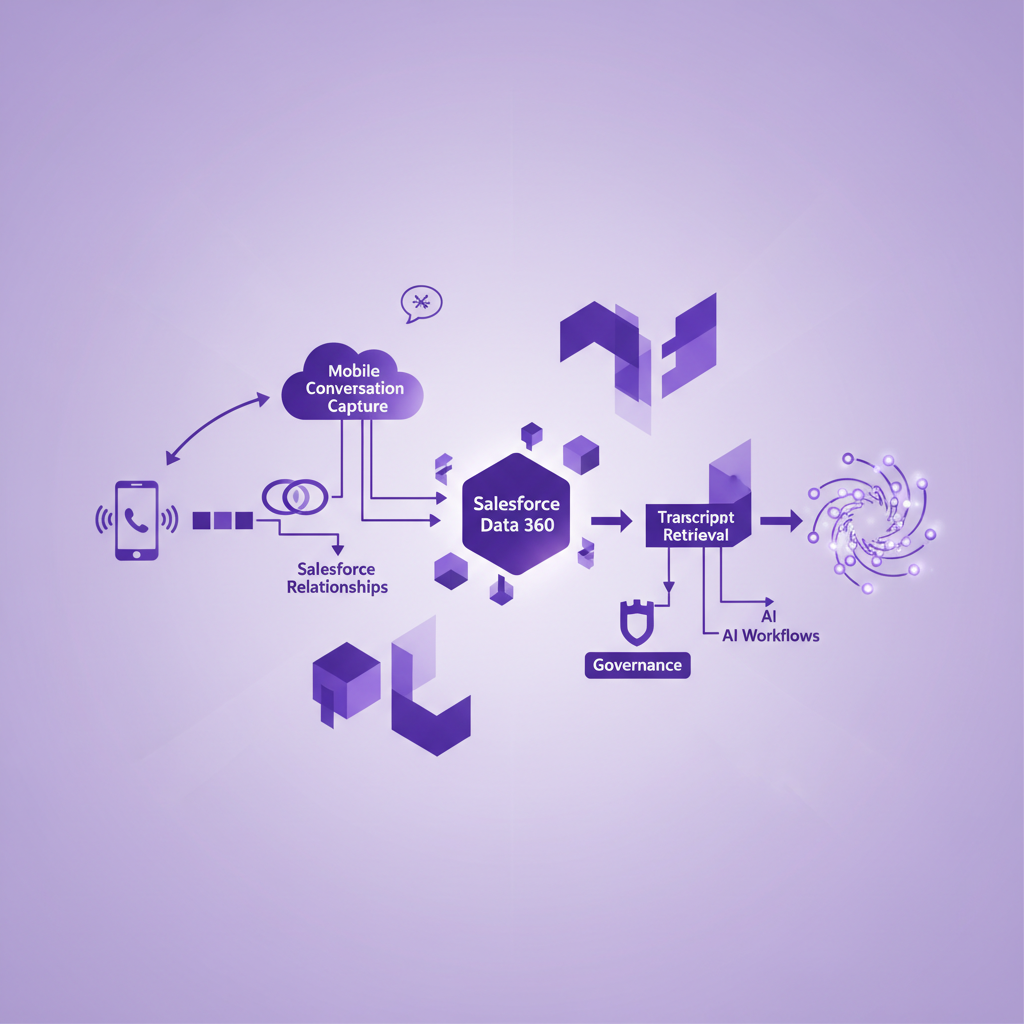
Salesforce Data 360 Conversation Transcripts: Where Do Mobile Calls Fit?
Salesforce Data 360 can turn conversation transcripts into material for reporting, search, analytics, and AI. That creates a valuable opportunity for teams that want Agentforce and other workflows to learn from what customers actually say.
It also creates an easy assumption to get wrong.
A business can enable conversation transcript analysis in Data 360 and still miss the direct mobile calls that carry important customer context. The platform can only work with conversation data that reaches the right Salesforce architecture with the right identity, permissions, and source detail.
For field sales, recruitment, financial services, account management, and mobile service teams, the first question is therefore not how to analyze a transcript.
It is whether the ordinary mobile conversation entered the data foundation at all.
What are Salesforce Data 360 conversation transcripts?
Salesforce Data 360 conversation transcripts are written conversation records that can be made available for analysis, reporting, search, and AI use cases inside the Salesforce data platform.
Salesforce documentation currently describes built in transcript analysis for enhanced messaging, voice calls, and unified messaging. It also describes data streams based on objects such as Conversation, Conversation Participant, Participant, Voice Call, Conversation Entry, and Related Records.
This lets an eligible organisation study conversation data at a scale that would be impractical through manual review. Teams can look for recurring issues, explore customer language, build reports, query records, and prepare relevant context for AI assisted work.
But Salesforce also sets clear boundaries around the built in path. Edition, product, channel, object model, permissions, and data location all matter. A transcript created by a connected mobile conversation product does not automatically become part of the standard Data 360 conversation transcript stream merely because it is visible somewhere in Salesforce.
That boundary should be confirmed before a team designs analytics or Agentforce workflows around the data.
Does Data 360 automatically include mobile call transcripts?
No. Data 360 does not automatically include every mobile call transcript used by a Salesforce customer.
The answer depends on how the call is captured, where its transcript is stored, which Salesforce objects and fields represent it, and how that data is made available to Data 360.
There are three separate questions to answer.
-
Was the mobile call captured and transcribed?
-
Did the transcript reach Salesforce with the correct customer and activity relationships?
-
Is that transcript included in the Data 360 data stream, data model, search index, or other approved access path used by the intended workflow?
A yes to the first question does not prove the second. A yes to the second does not prove the third.
This is the practical gap that mobile teams need to test.
Why mobile calls create a distinct conversation data problem
Many conversation intelligence programmes begin with scheduled meetings, contact centre calls, or calls made through a managed desktop dialler. These channels usually have a defined start point, an identifiable user, and a known integration path.
Ordinary mobile calls behave differently.
A customer may call a rep directly. An adviser may return a call from the phone's recent call list. A recruiter may speak to a candidate while travelling. A service engineer may receive an urgent update between visits. The conversation can be commercially or operationally important even though it never entered a contact centre queue or browser based calling tool.
If those calls are absent, Data 360 can still produce polished analysis. It will simply be analysis of an incomplete conversation set.
That can distort conclusions about customer needs, sales objections, complaints, service demand, product feedback, next steps, and relationship risk. It can also give AI workflows a partial account of the customer while making the available data appear comprehensive.
The problem is not that the analysis is technically wrong. The problem is that the source population is incomplete.
A transcript is not yet trusted AI context
Moving a large block of text into a data platform does not automatically make it useful.
A transcript needs context around it. Without that context, a retrieval or analytics workflow may find the right words but misunderstand the customer, the business process, or the current state of the Salesforce record.
A useful mobile conversation data model should preserve six layers.
1. Source call evidence
Keep the basic event facts, including the call identifier, time, direction, duration, business line, employee, and capture status.
This layer helps an administrator prove that a conversation happened and trace later outputs back to the originating event.
2. Participant identity
Record who took part and how confidently each participant was identified.
A phone number may match several records. A caller may be unknown. A shared business number may represent more than one person. Identity uncertainty should remain visible instead of being silently converted into a definite Contact or Account relationship.
3. Salesforce relationships
Connect the conversation to the records that give it business meaning, such as a Lead, Contact, Account, Opportunity, Case, or other approved object.
The right relationship depends on the use case. A sales question may need Opportunity context. A service question may need Case context. A broad customer insight query may need the Account relationship without treating every statement as an Opportunity update.
4. Source conversation
Preserve the transcript and, where configured and permitted, an appropriate route to the recording.
The transcript should retain speaker turns, timestamps, language information, and enough sequence to understand qualification, uncertainty, and corrections. A sentence retrieved without its surrounding exchange can change meaning.
5. Derived insight
Store summaries, topics, commitments, objections, risk signals, action items, and other generated outputs as interpretations of the source conversation.
These outputs can save significant time, but they should not be confused with the customer's exact words or a confirmed Salesforce field value.
6. Confirmed business state
Keep material decisions in controlled Salesforce fields and workflows, with an accountable owner and an appropriate confirmation process.
A transcript may contain evidence about a close date, complaint, vulnerability, consent preference, procurement requirement, or promised action. The evidence can support a decision. It should not become the decision merely because an AI model extracted it.
How conversation based retrieval changes the design
Salesforce documents a conversation based chunking method for transcript retrieval. In simple terms, it groups messages by conversation, orders them by time, and creates manageable sections that retain conversational context.
This matters because a single customer statement rarely tells the whole story.
Consider the sentence, "Friday should work."
That could refer to a demonstration, a contract review, a delivery, a callback, or a tentative internal meeting. The meaning may depend on the previous speaker turn and the qualification that follows it.
A useful retrieval design therefore needs more than transcript text. It needs the conversation identifier, sequence, relevant timestamps, record relationships, and selected metadata that helps the receiving workflow understand what it found.
The team should also decide what not to include. Adding every possible field to every retrieved section can introduce noise, expose data unnecessarily, and make answers less precise. Context should be relevant, governed, and proportionate to the question.
Eight questions Salesforce teams should answer before connecting mobile transcripts to Data 360
1. Which mobile calls are eligible for capture?
Define the business line, users, call directions, countries, call types, and policy conditions in scope. Do not use the word every unless the tested configuration genuinely supports it.
2. Where is each transcript stored?
Document the Salesforce object, field, connected service, and source identifier. A transcript visible through a component may not be stored in the place an administrator first expects.
3. How will Data 360 receive it?
Confirm whether the intended path uses a standard Salesforce conversation stream, a custom data stream, an API, a file based process, an audio pipeline, or another approved design. Do not assume the built in transcript analysis path applies to a third party object or field.
4. Which relationships travel with the transcript?
List the Contact, Account, Opportunity, Case, activity, owner, and any other relationships needed for the use case. Preserve matching confidence and unresolved identity where relevant.
5. Who can access the data?
Salesforce notes that transcript data can be housed in the default data space and that access must be governed. Review data space access, object permissions, field access, report access, and the permissions of any AI or automation that retrieves transcript content.
6. What source detail remains available?
Decide whether a user can move from a generated answer or extracted insight to the relevant transcript passage and, where permitted, the recording. Source traceability is particularly important when an output could change a customer commitment or Salesforce record.
7. What is the retention and deletion path?
Map the transcript, recording, generated summary, extracted fields, indexes, reports, exports, and downstream copies. A deletion request is not complete if only the visible call activity disappears.
8. Which actions require confirmation?
Separate low consequence analysis from material action. A trend report can tolerate a different review model from a workflow that changes an Opportunity stage, classifies a complaint, records a communication preference, or sends a customer message.
A practical pilot for mobile conversation data
A pilot should test the complete route from a real mobile call to the final answer or action. A polished transcript viewer is not enough.
Use a small set of controlled scenarios.
-
Make a known outbound mobile call and verify the source event, transcript, Salesforce relationships, and Data 360 availability.
-
Receive a direct callback from the same person and confirm that the inbound conversation follows the intended path.
-
Call from a number that matches more than one Salesforce record and check that uncertainty is visible.
-
Use a conversation with a tentative date, a correction, and two similar names to test sequence and speaker context.
-
Ask an approved AI workflow a question that requires both the transcript and current Salesforce record context.
-
Restrict a user's access and verify that the transcript cannot be retrieved through reports, search, APIs, or AI.
-
Correct a generated insight and confirm that downstream fields or actions do not continue using the earlier version.
-
Apply the agreed retention or deletion process and verify every expected copy, index, and derived output.
For each test, record the expected result, actual result, owner, evidence, and decision. A pass should mean that the full workflow behaved correctly, not merely that some transcript text appeared.
What should teams measure?
The most useful measures describe completeness, relationship quality, usability, and control.
Start with these:
-
Eligible mobile calls captured.
-
Captured calls with a usable transcript.
-
Transcripts related to the correct Salesforce records.
-
Transcripts available to the intended Data 360 workflow within the expected time.
-
Retrieval results with enough source context to support review.
-
Generated insights confirmed, corrected, or rejected.
-
Access exceptions and deletion exceptions.
-
Business decisions that can be traced to the source conversation.
Avoid treating transcript volume as the main success measure. More text does not prove better customer understanding. The goal is reliable, relevant conversation context that people and approved systems can use responsibly.
Where RocketCell fits
RocketCell addresses the upstream mobile capture problem.
It is designed to capture ordinary business mobile calls through the mobile network path and make call activity, transcripts, summaries, and action items available in Salesforce according to the customer's configuration and policies. This helps mobile teams preserve conversations that may never pass through a desktop dialler, meeting tool, or contact centre queue.
Data 360 design remains a separate implementation decision.
Salesforce teams should confirm how their RocketCell records and transcript artifacts are represented, which data path will make them available to Data 360, which relationships must travel with them, and which permissions and controls apply. RocketCell supplies the missing mobile conversation layer. The Salesforce architecture determines how that layer becomes governed data for analytics and AI.
That separation is useful. It prevents a team from confusing successful call capture with successful AI grounding, while making both parts testable.
Frequently asked questions
Can Salesforce Data 360 analyze call transcripts?
Yes. Salesforce documents conversation transcript analysis for supported messaging and voice data, along with reporting, APIs, queries, and conversation based retrieval options. Availability depends on the Salesforce edition, products, channel, configuration, and permissions in use.
Does a transcript in Salesforce automatically appear in Data 360?
No. A transcript can be visible in Salesforce without being included in the specific Data 360 data stream or index used by a workflow. Confirm the object, storage location, ingestion path, relationships, and access model.
Should Agentforce use the full transcript or a summary?
The right design often uses both source detail and structured interpretation. A summary is efficient, while the transcript provides evidence and nuance. Retrieval should return only the context needed for the task and preserve a route back to the source where appropriate.
Can mobile call transcripts update Salesforce fields automatically?
They can support proposed field updates and automation, but the approval model should reflect the consequence of the change. Material commitments, customer preferences, complaint states, forecast decisions, and external actions usually need stronger controls than basic activity data.
Does RocketCell automatically send every transcript into Data 360?
RocketCell makes captured mobile call data and conversation artifacts available in Salesforce according to the implementation. The route from those Salesforce records into Data 360 should be confirmed and designed for the customer's object model, permissions, products, and intended use case.
The real starting point for conversation AI
Data 360 can help Salesforce teams turn conversation data into searchable, reportable, and reusable context. But the value of that context depends on which conversations enter the system and how well their meaning is preserved.
For mobile teams, the most important customer call may be the one that never touched a managed calling application.
Capture that call first. Connect it to the right Salesforce records. Preserve the source, identity, sequence, and uncertainty. Then give Data 360 and AI workflows only the context and authority they need.
That is how a mobile transcript becomes more than stored text. It becomes trustworthy customer context.